



One of the more frustrating things I’ve experienced in doing SEO for over 15 years is watching a page that used to perform well slowly lose traffic. At first, nothing looks obviously broken. The page is still indexed. It still ranks for some of the same keywords. You haven’t necessarily changed anything.
But the numbers keep moving in the wrong direction. Clicks fall. Rankings slip. Competitors that used to sit below the page start moving ahead. Leads that once came consistently from the page become less frequent.
That is content decay.
And if you want to know how to fix content decay, the first step isn’t rewriting the article. It’s figuring out why the page declined in the first place. Sometimes the information becomes outdated. Sometimes search intent changes. Sometimes a competitor simply built a better resource. In other cases, the content itself may be fine and the real problem is technical, authority-related, or caused by another page on your own website.
Content decay is therefore less of a writing problem and more of a diagnosis problem. Once you understand what changed, you can decide whether the page needs a small refresh, a major rewrite, stronger internal links, consolidation, technical fixes, or retirement altogether.
TLDR;
- What it is: Content decay is the gradual decline of a page’s rankings, traffic, visibility, or conversions over time.
- How to diagnose it: Check whether the decline comes from outdated content, changing search intent, stronger competitors, authority loss, cannibalization, or technical issues.
- How to fix it: Address the actual cause by updating, rewriting, consolidating, strengthening links, fixing technical problems, or removing low-value content.
- How to monitor it: Track page performance over time using Google Search Console and Google Sheets, or use Semrush One, Rankseer, and Screaming Frog for deeper analysis.
What Is Content Decay?
Content decay is the gradual decline in the organic performance of a page that previously performed well.
That decline may appear as:
- Fewer organic clicks
- Lower search rankings
- Declining impressions
- Fewer ranking keywords
- Lower click-through rates
- Reduced conversions
- Competitors overtaking the page
- Reduced visibility in AI-generated answers
The important word here is gradual.
If an important page loses most of its traffic overnight, I wouldn’t immediately call that content decay. A sudden decline could point to a technical problem, indexing issue, migration problem, tracking error, or broader search update.
Content decay usually looks more like a leak.
A page moves from position three to position five. Then position seven. Long-tail rankings slowly disappear. Traffic is down a little this month, then a little more the next. By the time someone notices, the page may have lost a significant amount of its previous visibility.
I also don’t assume that a decaying page has suddenly become bad content. The page may still be useful. It just may not be as current, complete, relevant, authoritative, or useful as the alternatives available today.
That distinction matters because it changes how you fix it.
What Does Content Decay Look Like?
Most successful content moves through some version of a lifecycle.
A page gets published and begins earning visibility. Rankings improve. Traffic grows. Eventually, the page reaches a period of relatively stable performance.
Then the environment around it keeps changing.
Competitors publish new pages. Search behavior evolves. New questions become important. Links disappear. Products change. Statistics age. Search results take on different formats.
Eventually, a page that stood still can start moving backward.
A simplified content lifecycle looks like this:
- Launch: The page is published, crawled, and begins appearing for relevant searches.
- Growth: More queries begin generating impressions and rankings improve.
- Peak: The page reaches its strongest period of traffic and visibility.
- Plateau: Performance becomes relatively stable.
- Decay: Rankings, clicks, conversions, or visibility begin declining consistently.
The plateau deserves particular attention.
A stable-looking page isn’t necessarily a healthy page. If competitors are improving while your content remains unchanged, the gap between your page and the best available answer may already be growing.
That is why I’d rather catch content during the early stages of decline than wait until it has disappeared from page one.

Why Does Content Decay Happen?
When I see a page losing traffic, I usually look at several possible causes before deciding what needs to change.
The goal is to determine whether the problem comes from the content, search intent, competition, authority, the website itself, or changes in how answers are being surfaced.
The Information Became Outdated
This is the most obvious cause. Statistics change. Software gets updated. Prices move. Products are replaced. Screenshots become inaccurate. Laws, policies, recommendations, research, and industry practices evolve.
A page doesn’t need to become completely wrong before it becomes less valuable.
Imagine two articles answering the same question. Both are mostly accurate, but one contains newer data, current examples, working references, and screenshots that match what users see today.
That newer page is simply more useful.
This is especially important for topics where freshness is part of the user’s intent, such as:
- Trends
- Pricing
- Software
- Product comparisons
- Regulations
- Best-of lists
- Statistics
- Industry benchmarks
- Technical instructions
For these pages, freshness should be treated as ongoing maintenance rather than a one-time publishing task.
Search Intent Changed
Search intent is one of the first things I check when a previously strong page starts slipping. Search the main query again and look closely at what is ranking now.
Maybe informational articles used to dominate the results, but the current results favor comparison pages. Maybe users once wanted a definition, but now they want a step-by-step guide. Maybe product pages have replaced blog posts. Maybe shorter direct answers are appearing where long-form guides previously performed best.
The keyword itself may not have changed. What people expect from the search can.
If the dominant intent has changed, simply adding another 500 words to the same article usually won’t solve the problem. You need to match your content with the search intent behind the target keyword.
Sometimes the page needs to be repositioned. Sometimes its structure needs to change. And sometimes a different page should target the query entirely.
Competitors Built Better Pages
There are also situations where your content didn’t get worse. The competition simply improved.
A competitor may have published a page that:
- Answers the main question faster
- Covers important subtopics you missed
- Includes better examples
- Uses original research
- Provides clearer comparisons
- Shows first-hand experience
- Has stronger internal links
- Earned more authoritative backlinks
- Better matches the current intent
This is why I don’t audit a declining page in isolation. I want to know what moved above it.
The more useful question isn’t: “What is wrong with my article?”
It is: “What is the current result doing better, and does that difference actually matter to the user?” a.k.a. – reverse engineering what your competitor is doing to win in organic (and AI) search rankings.
That prevents a refresh from turning into random editing.
Authority Weakened
Sometimes the content itself still looks competitive, but the authority supporting the page has weakened.
The page may have lost:
- Backlinks
- Referring domains
- Internal links
- Links from high-authority pages on your site
- Brand mentions or references
At the same time, competing pages may continue accumulating those signals. If the problem is primarily authority-related, rewriting the article isn’t enough.
You may need to work on your website’s topical authority, strengthen internal linking, reclaim lost links, create original resources worth citing, or earn new third-party references.
Your Own Pages Started Competing
Keyword cannibalization can create what looks like content decay. This happens when multiple pages on your website begin competing for substantially the same search intent.
You may notice:
- Different URLs ranking for the same query
- Rankings repeatedly switching between URLs
- Two mediocre pages ranking instead of one strong page
- A newer article overtaking an older strategic page
- Similar pages dividing backlinks and internal links
In those situations, refreshing both pages independently may make the problem worse. It can make more sense to consolidate their strongest information into one authoritative page and redirect the weaker URL.
Technical Problems Weakened the Page
Not every decaying page has a content problem. A previously successful page can also lose performance because something changed technically.
For example:
- Important internal links disappeared
- A canonical points somewhere else
- The URL redirects unexpectedly
- The page was accidentally set to noindex
- Important resources no longer load correctly
- Internal links point through unnecessary redirect chains
- Broken links reduce the usefulness of the page
- A template change affects crawlability or rendering
This becomes particularly important when many unrelated pages decline around the same time. If the real problem is your technical SEO, rewriting 20 articles is not going to fix it.
The Search Results Changed Around You
A page can also receive fewer clicks without losing the same amount of ranking visibility.
Search results increasingly contain features that answer part of the query before the user reaches a website.
That means you may see a pattern where:
- Rankings remain relatively stable
- Impressions remain healthy
- Click-through rate declines
In that situation, the page may not be decaying in the traditional sense.
The opportunity could instead be improving the title, strengthening the answer presented on the page, targeting new query variations, or making the content more useful for the formats now appearing around the organic results.
How Content Decay Affects Search and AI Visibility
Content decay no longer happens only in traditional search rankings. A page can maintain respectable search positions while becoming less visible in AI-generated answers.
The reverse can also happen. That means I now think about content visibility in two layers:
- Traditional search visibility: Is the page ranking, receiving impressions, earning clicks, and generating conversions?
- AI visibility: Is the brand or page being mentioned, referenced, or cited when relevant questions are answered by AI search systems?
These two signals should not be treated as interchangeable.
A page could rank well for its primary keyword but still fail to appear across conversational questions related to the topic. Another page may regularly surface in AI-generated answers even if it is not the first organic result.
For older content, this creates another reason to keep information accurate and useful.
When refreshing a page, I pay particular attention to:
- Clear definitions
- Direct answers to important questions
- Logical headings
- Accurate entity names
- Current facts and examples
- Original experience or evidence
- Relevant supporting sources
- Concise summaries
- Tables where comparisons make sense
- Strong internal linking
- Structured data that accurately reflects visible page content
None of those elements should be added just for a search engine or AI system.
They make the page easier for people to understand first. They also make the information and relationships on the page clearer to systems trying to interpret it.
Content Decay vs. Normal Traffic Fluctuations
Not every traffic decline is content decay. Short-term ranking movement happens naturally. Seasonal topics rise and fall. Search demand changes. News cycles temporarily affect interest.
Before making major changes, I want to know whether the decline is sustained. For seasonal content, I prefer comparing equivalent periods rather than comparing a naturally weak month against a peak month.
I also look at how widespread the problem is. If one article has been losing rankings for months while the rest of the website remains stable, content decay is a reasonable possibility.
If hundreds of unrelated pages decline at almost the same time, I would investigate broader issues such as:
- Technical changes
- Site migrations
- Internal linking changes
- Indexation problems
- Tracking problems
- Sitewide quality issues
- Major changes in the search environment
Context matters.
You don’t want to rewrite a strong page because you misdiagnosed seasonality or a technical regression as an issue with how your past blog posts and landing pages are written.
How to Diagnose Content Decay
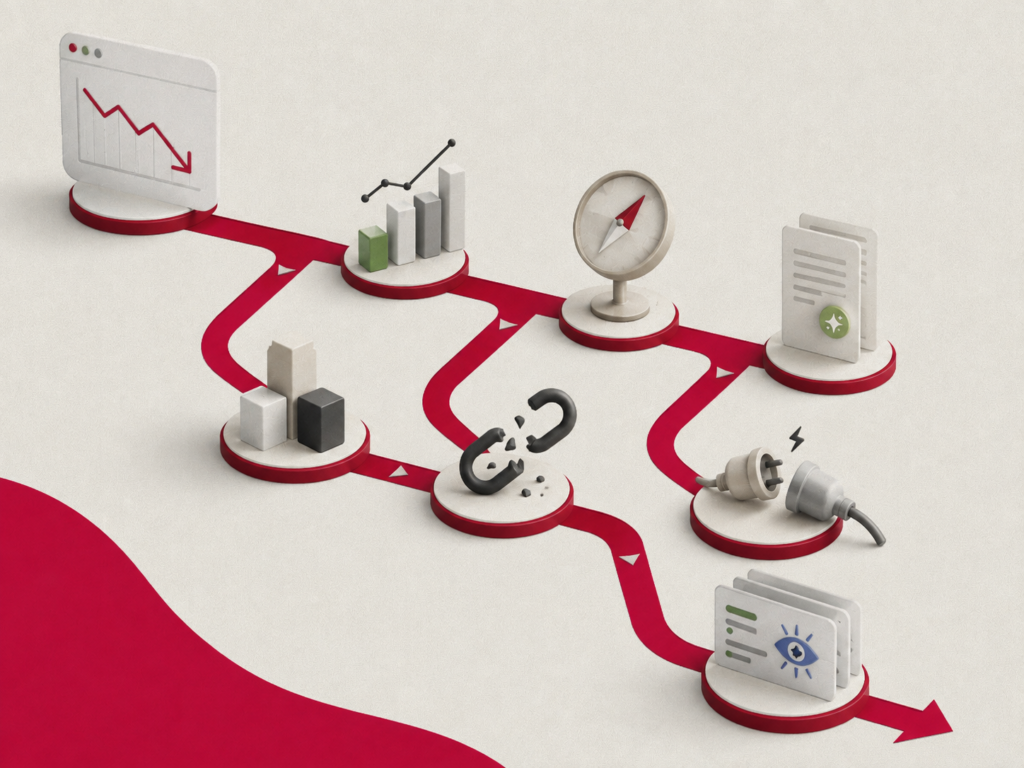
I like to evaluate a declining page from multiple angles rather than assuming the issue is automatically the copy.
Area What I Check Performance Rankings, visibility, clicks, impressions, conversions Search intent Current result types and what users appear to expect Content Freshness, completeness, examples, accuracy, proof Competition What stronger pages now do better Authority Backlinks, internal links, mentions Technical Indexability, canonicals, redirects, broken links AI visibility Mentions, citations, prompt coverage, competitors surfaced
The important part is separating the symptom from the cause. Traffic going down is a symptom. The audit tells you why.
Read the Pattern Behind the Metrics
Different performance patterns can point toward different problems.
Pattern What It May Indicate Rankings and clicks decline together Competitor improvement, content gaps, authority loss, or intent shift Impressions fall while rankings remain relatively stable Search demand may have declined Rankings remain stable but CTR falls Search result layout or snippet competitiveness may have changed Traffic remains stable but conversions fall The offer, CTA, audience, or next step may no longer fit Different URLs keep ranking for the same query Keyword cannibalization Many unrelated pages decline together Technical or sitewide issue Search performance is stable but AI visibility declines Competitors may be winning more relevant citations or prompt coverage
None of these patterns proves the cause on its own. They tell me where to investigate next.
How to Use Semrush One to Investigate Content Decline
Once I know which pages are weakening, Semrush One can help me compare traditional search performance with AI search visibility from the same broader workflow.
I can use its search data to review ranking movement, competitor changes, pages gaining visibility, and keyword cannibalization. Position Tracking can also show visibility trends and competing URLs, while Semrush One combines traditional SEO data with AI visibility reporting.
For a decaying page, I’m usually trying to answer:
- Which important queries declined?
- Which competitors moved ahead?
- Did another URL from my site begin competing?
- Which topics or searches are competitors gaining visibility for?
- Is the decline isolated to organic search, or is AI visibility changing too?
- Which competitor pages are increasingly being referenced?
The point isn’t to collect more data.
It is to connect the performance decline to an actionable cause.
How to Track Content Decay
You don’t necessarily need a paid SEO platform to find content decay.
For smaller websites, or if I want to build my own monitoring system, I can use Google Search Console and Google Sheets to track page-level performance over time. This gives me a simple way to spot URLs that are consistently losing impressions or clicks before I investigate what caused the decline.
For larger websites or deeper competitive analysis, tools such as Semrush One, Rankseer, and Screaming Frog can make the process faster and provide additional context.
How to Track Content Decay Manually With Google Search Console and Google Sheets
The simplest manual setup is to export page-level performance data from Google Search Console at regular intervals and compare the results in Google Sheets.
I prefer tracking impressions alongside clicks because impressions can reveal declining visibility before traffic disappears completely. A page may still receive relatively few clicks while appearing thousands of times in search, which can make it a valuable recovery opportunity.
Here’s how I would set it up.
Step 1: Create a Content Decay Tracking Sheet
Start with an Overview tab.
In the first column, list the URLs you want to monitor. Then create additional columns for each period you want to compare. You can track monthly data, quarterly data, or another interval that makes sense for the website. I usually prefer monthly tracking for important content because it gives enough detail to spot a sustained decline without reacting too aggressively to daily fluctuations.
Then create a separate tab for each reporting period, such as:
- January
- February
- March
- April
- May
- June
These tabs will store the raw Google Search Console exports.
Step 2: Export Page-Level Data From Google Search Console
Open the Search Performance report for the website and select a complete reporting period.
For monthly tracking, use the full calendar month rather than partial months.
Then export the report and open the Pages data.
This gives you page-level metrics such as:
- Clicks
- Impressions
- CTR
- Average position
Copy that page-level data into the corresponding monthly tab in your tracking sheet.
Repeat the process for each month or quarter you want to compare.
Step 3: Pull the Metrics Into Your Overview
Instead of manually searching for each URL across every monthly export, you can use a lookup formula to bring the values into the Overview tab.
For example, if impressions are the third column of your exported data:
=IFERROR(VLOOKUP($A2,’January’!$A:$E,3,FALSE),0)
In this formula:
- $A2 is the URL you want to find.
- ‘January’!$A:$E is the exported Search Console data.
- 3 returns the value from the third column, which would be impressions in this example.
- IFERROR returns 0 when the URL has no data for that period.
You can repeat the formula across your monthly columns.
If you want to track clicks instead, change the column index to the corresponding clicks column in your export.
Step 4: Use Conditional Formatting to Spot Declines
A spreadsheet containing thousands of numbers becomes difficult to analyze quickly.
Conditional formatting makes the trends much easier to see.
For example, you can highlight:
- Green: Performance increased from the previous period
- Red: Performance decreased
- No fill: Little or no change
If January is in column B and February is in column C, a simple rule for declining performance would be:
=C2<B2
And an increase would be:
=C2>B2
Once several consecutive cells start turning red, you have a page worth investigating.
This is more useful than reacting to one bad month because true content decay usually appears as a pattern, not a single isolated drop.
Step 5: Calculate the Overall Change
I also like adding a percentage-change column so I can quickly sort pages by the size of their decline.
For example:
=IFERROR((G2-B2)/B2,”N/A”)
If column B contains the first month and column G contains the most recent month, this shows the percentage change across the entire period.
You can then sort your URLs from largest decline to largest increase.
This creates a basic content decay backlog.
Step 6: Prioritize the Pages Worth Investigating
A large percentage drop doesn’t automatically mean a page needs to be refreshed.
I also look at the scale of the opportunity.
For example, a page dropping from 50,000 impressions to 30,000 deserves more attention than a page dropping from 20 impressions to 10.
That is why I consider:
- Total impressions
- Total clicks
- Size of the decline
- Historical performance
- Current rankings
- Business value
- Conversion potential
Pages with high historical visibility and a sustained downward trend usually move to the top of my audit list.
Step 7: Diagnose Why the Page Declined
The spreadsheet tells me which pages are declining.
It doesn’t tell me why.
Once I identify a suspicious URL, I go back to the diagnosis framework and investigate:
- Did rankings decline?
- Did search demand decline?
- Did CTR fall while rankings stayed stable?
- Did another page on the site start competing?
- Did competitors publish stronger content?
- Did search intent change?
- Did the page lose backlinks or internal links?
- Is there a technical issue?
That distinction is important.
The manual tracker should act as an early-warning system, not an automatic signal to rewrite the page.
How to Scale Content Decay Tracking With SEO Tools
The Google Search Console and Google Sheets method works well when you want complete control over the data or only have a manageable number of pages.
As the website grows, however, manually exporting and comparing performance every month becomes harder to maintain.
That’s where SEO and AI visibility tools become useful.
Use Semrush One for Search and Competitive Decline
Once I find a declining URL, Semrush One can give me more context around what happened in the competitive landscape.
I can investigate areas such as:
- Declining keyword positions
- Keywords the page lost
- Competitors gaining visibility
- Pages replacing my URL in the results
- Keyword cannibalization
- Competitor content gaps
- Backlink differences
- Changes in AI search visibility
The spreadsheet tells me that the page is declining.
Semrush One helps me investigate what may have replaced it and where the competitive gap is growing.
Use Rankseer to Monitor SEO and AI Visibility
I can also use Rankseer when I want to monitor traditional rankings alongside visibility in AI-generated answers.
This is especially useful because content can decay differently across search environments.
For example, a page may still perform relatively well on Google while competitors start appearing more frequently for related prompts in AI search.
I would monitor:
- Keyword visibility
- Ranking trends
- AI mentions
- AI citations
- AI share of voice
- Competitor visibility
- Prompt-level visibility changes
This gives me another layer of monitoring beyond organic clicks alone.
Use Screaming Frog to Rule Out Technical Decay
If several URLs suddenly weaken or the content itself still looks competitive, I also check whether the decline has a technical cause.
A Screaming Frog crawl can help identify problems such as:
- Accidental noindex directives
- Incorrect canonicals
- Broken internal links
- Redirect chains
- Missing internal links
- Broken external resources
- Unexpected status codes
- Duplicate or competing URLs
This is an important step because not every declining page needs a content refresh.
Sometimes the fastest way to recover a page is fixing the technical problem preventing the existing content from performing properly.

How to Fix Content Decay
Once I understand why the page declined, the refresh becomes much more focused. Instead of changing everything, I can fix the specific problems preventing the page from competing.
1. Fix Search Intent First
Before rewriting anything, search the main topic again. Look closely at what is performing now.
Ask:
- What type of page dominates?
- What question is being answered?
- How quickly is it answered?
- Is the intent informational, commercial, transactional, or mixed?
- Are users expecting comparisons, instructions, examples, recommendations, or definitions?
- Which related questions now appear important?
If the intent changed substantially, the structure of the page may need to change too. Do not force an outdated format to target an intent it was never designed to satisfy.
2. Update What Is Actually Outdated
Next, audit information that naturally ages.
That includes:
- Statistics
- Research
- Screenshots
- Products
- Pricing
- Processes
- Recommendations
- Examples
- External references
- Dates
- Claims
Replace outdated details with current, verifiable information. And if you change the “last updated” date, make sure the page has actually been meaningfully updated. Changing the date without improving the content does not make the page more useful.
3. Close Important Content Gaps
Compare your page against what searchers need today. Maybe the original article still explains the core topic well but is missing questions that have become important.
That might justify adding:
- Clearer definitions
- Better examples
- Step-by-step instructions
- Comparisons
- FAQs
- Tables
- Use cases
- Limitations
- Common mistakes
- Decision criteria
But don’t add sections simply because competitors have them. The goal is not to match somebody else’s word count. I only add information when it makes the answer meaningfully better.
4. Make Important Answers Easier to Find
A comprehensive article can still perform poorly if readers have to dig through several paragraphs to find the answer they need. For important questions, answer them directly before expanding.
Instead of: “There are several different ways marketers often think about this topic…”
Use: Content decay is the gradual decline in the organic performance of a previously successful page.
Then explain the details. This approach improves readability and makes longer pages easier to scan without sacrificing depth.
5. Add Something Competitors Cannot Easily Copy
This is where a refresh can create a real competitive advantage. Instead of only catching up with pages already ranking, add something original.
That might include:
- First-hand experience
- Original research
- Internal data
- A case study
- A proprietary framework
- Screenshots from your own process
- An experiment
- Expert commentary
- Unique examples
- A useful template
If your refresh simply makes your page look more like everybody else’s, you may improve it without making it distinctive.
6. Strengthen Trust and Accuracy
Review every important claim on the page.
Ask:
- Is the source still current?
- Can the statement be verified?
- Does the author have relevant experience?
- Are recommendations supported by evidence?
- Are examples realistic?
- Are external references authoritative?
- Are important claims clearly attributed?
Strong content should make it easy for a reader to understand not only what you are saying but also why they should trust it.
7. Improve Internal Linking
A refreshed page should not exist in isolation. Review related content across the site and identify pages that should link to the refreshed URL.
Use anchors that naturally describe the destination rather than forcing exact-match keywords everywhere. Internal links help users discover related information while reinforcing which pages are central to a topic. They can also help consolidate authority around the URL you actually want to perform.
8. Rebuild Authority When Needed
If the page lost valuable links or competitors now have significantly stronger authority, on-page improvements may not be enough. Consider whether the refreshed content gives other websites a reason to reference it.
Original research, useful statistics, unique frameworks, studies, tools, templates, or expert insights can create stronger reasons for external citations than another generic article refresh.
9. Fix Technical Problems
If your audit found technical problems, fix them as part of the recovery.
That could include:
- Repairing broken links
- Correcting canonicals
- Removing accidental noindex directives
- Updating internal links to final URLs
- Fixing redirect chains
- Restoring missing internal links
- Removing unnecessary duplicate URLs
Content improvements are much more useful when search systems can reliably crawl, understand, and index the preferred page.
10. Re-Promote the Page After a Meaningful Update
A major refresh creates another opportunity to distribute the content. Link to it from newer relevant pages. Surface it where your audience is already active. Reintroduce it when the updated version adds something genuinely useful.
Promotion works best after the underlying content has been improved. Re-promoting an outdated article only sends more users to an outdated article.
Should You Update, Rewrite, Consolidate, Redirect, or Delete?
Not every declining page deserves the same treatment. I wrote a framework to use when deciding to update or create new content you can follow, but here’s a quick breakdown on the same topic:
Situation Best Action Topic is still valuable, but details are outdated Update Topic is valuable, but the page no longer satisfies intent Rewrite Multiple pages compete for substantially the same intent Consolidate A stronger, highly relevant destination already exists Redirect Page has little value, demand, traffic, authority, or strategic purpose Delete or prune
How to Prioritize Decaying Content
If a website has hundreds or thousands of URLs, refreshing everything isn’t realistic. I would focus first on pages where recovery can create meaningful value.
Consider:
- Historical traffic
- Current rankings
- Search demand
- Conversion potential
- Business relevance
- Backlinks
- Strategic importance
- Size of the decline
- Confidence in the diagnosis
- Effort required to fix it
A simple prioritization model is:
Potential Impact × Business Value × Likelihood of Recovery ÷ Effort
A high-value page sitting just outside the first page may deserve attention before an article that once generated traffic but now targets a topic nobody searches for. I would also prioritize pages connected directly to revenue, leads, important product categories, or strategic topics before low-value informational content. Content maintenance should be tied to business value, not just traffic.
How to Measure Whether the Refresh Worked
It’s a fact now that fresh content is important for organic search visibility – so more often than not, a content refresh should work in reversing the downtrend you’re seeing. But before making changes, save a baseline. Otherwise, you’ll have no reliable way to know whether the refresh helped.
Depending on the page, I monitor:
- Organic clicks
- Impressions
- Average ranking position
- Click-through rate
- Number of relevant ranking queries
- Organic sessions
- Leads
- Conversions
- Revenue
- AI mentions
- AI citations
- AI share of voice
Document when the update was published and what changed. Then compare meaningful periods rather than reacting to daily fluctuations. I also avoid judging a refresh based on one keyword moving three positions.
A better question is: Did the page become healthier overall?
Look for broader recovery across relevant queries, visibility, traffic, conversions, and AI presence. And remember that different fixes affect different metrics.
A metadata improvement may affect CTR before rankings. A content expansion may increase long-tail visibility. A consolidation may create temporary volatility before signals settle around the surviving page. A stronger CTA may improve conversions without changing rankings at all.
Measure the outcome that matches the problem you were trying to solve.
Common Content Refresh Mistakes
Most refresh mistakes happen because editing starts before diagnosis.
Some of the most common ones I see are:
- Changing the date without meaningfully changing the content
- Adding words just to make the article longer
- Copying ranking competitors section by section
- Ignoring changes in search intent
- Refreshing pages that no longer have meaningful demand
- Removing sections without checking what queries they support
- Changing URLs unnecessarily
- Ignoring backlinks and authority
- Ignoring technical problems
- Treating every traffic drop as a content-quality problem
- Updating facts without checking linked sources
- Creating another overlapping page instead of fixing cannibalization
- Assuming strong Google rankings automatically mean strong AI visibility
A good refresh should be explainable. For every major change, I should be able to answer:
What problem identified during the audit is this change supposed to solve?
If I can’t answer that, I probably don’t need to make the change.
How to Prevent Content Decay
You will never eliminate content decay completely. The web keeps changing. But you can catch problems earlier.
Monitor Important Pages Regularly
Not every article needs the same level of attention.
For high-value pages, monitor changes in:
- Rankings
- Traffic
- Search intent
- Competitor quality
- Backlinks
- Internal links
- Conversions
- AI visibility
- Accuracy of time-sensitive information
For important or fast-changing topics, monthly monitoring can help surface problems early. A deeper quarterly review can then evaluate content, authority, technical health, and competitive changes. Stable evergreen topics may need less frequent attention.
Create Update Triggers
You don’t always need to refresh a page because six months have passed. It can be more useful to refresh when something meaningful happens.
For example:
- Rankings decline consistently
- A major competitor overtakes the page
- Search intent changes
- Product information changes
- Statistics become outdated
- Important backlinks disappear
- Another page begins cannibalizing the query
- AI visibility around an important topic falls
That creates a maintenance system based on need rather than an arbitrary publishing calendar.
Build Evergreen Foundations
Whenever possible, structure new content so the core explanation remains useful even when individual examples change.
Separating evergreen information from time-sensitive statistics, examples, and recommendations can make future updates easier.
Keep Sources and Links Healthy
Broken citations, outdated statistics, and dead resources accumulate quietly. Review important references during refreshes and replace them with stronger or more current sources where needed.
Maintain Clear Content Ownership
High-value pages should have someone responsible for them. If nobody owns the page after publication, maintenance is easy to forget. Treat your strongest content more like a product than a one-time campaign asset. It should be monitored, improved, and maintained as long as it continues creating value.
Key Takeaway
When I think about how to fix content decay, I don’t start by asking how many more words I should add.
I start by asking:
What changed?
Maybe the information became outdated. Maybe search intent shifted. Maybe competitors built stronger pages. Maybe authority weakened. Maybe another page on the site started competing for the same query. Maybe the page developed a technical problem. Or maybe the way users discover answers changed while the page stayed the same.
The solution depends on the cause.
Find the pages losing visibility, compare their current performance with their previous baseline, review what changed around them, and then make the smallest meaningful change that solves the actual problem.
Content publishing isn’t finished when you hit publish. Your strongest pages are assets that need maintenance. And the earlier you catch content decay, the more rankings, links, authority, traffic, conversions, and visibility you still have left to protect.
Frequently Asked Questions About Content Decay
What is content decay?
Content decay is the gradual decline in organic visibility, rankings, traffic, engagement, or conversions on a page that previously performed well. It usually develops over time as information becomes outdated, search intent changes, competitors improve, authority weakens, technical issues appear, or another page begins competing for the same topic.
What causes content decay?
Content decay usually results from changes around the page rather than age alone. Common causes include outdated information, shifting search intent, stronger competitor content, lost backlinks, weaker internal linking, keyword cannibalization, technical regressions, reduced search demand, and changes in how search results or AI-generated answers surface information.
How do you fix content decay?
Start by identifying why the page declined. Then choose the smallest meaningful fix. Update stale information, realign the page with current intent, close important topic gaps, consolidate competing URLs, strengthen internal links, rebuild authority, or correct technical issues. A full rewrite is only necessary when the existing page can no longer satisfy the current need.
Should I update the publish date when refreshing old content?
Update the visible modification date when you make meaningful changes to the page. The content itself should show that it has genuinely been refreshed through updated facts, examples, sources, screenshots, recommendations, or structure. Changing a date alone does not improve usefulness and should not be treated as a content-refresh strategy.
How often should content be audited for decay?
There is no universal schedule. Important and fast-changing pages may need monthly monitoring and deeper quarterly reviews, while stable evergreen content can be checked less often. Audit frequency should reflect business value, topic volatility, historical traffic, conversion potential, and how quickly the information on the page can become outdated.
Can content decay affect AI search visibility?
Yes. Traditional rankings and AI visibility can move independently. A page may still rank well while competitors become more frequently mentioned or cited in AI-generated answers. Monitor both forms of visibility and keep important content accurate, authoritative, clearly structured, crawlable, and comprehensive enough to answer the questions your audience currently asks.
The post How to Fix Content Decay Before It Hurts Your Rankings, Traffic, and Visibility appeared first on SEO Services Agency in Manila, Philippines.


